11 min read · Updated May 2026 · Digital Marketing & Advertising
Have you ever been scrolling through a website and wondered, “Who is actually running this ad?” or “Is this brand even legitimate?” You’re not alone — and Google has been listening. In 2026, Google Ads transparency is no longer just a buzzword. It’s a fundamental pillar of how the world’s largest digital advertising platform operates, protects users, and holds advertisers accountable.
Whether you’re a small business owner running your first Google Ads campaign, a digital marketer managing client budgets, or simply a curious internet user who wants to understand the ads you see — this guide breaks it all down in plain English. No technical jargon. No fluff. Just everything you need to know.
What Is Google Ads Transparency?
Google Ads transparency refers to a set of policies, tools, and disclosures that Google requires advertisers to provide — so that both users and competitors can see who is behind any given ad, what the ad says, and where it runs.
Simply put: it’s Google’s way of making online advertising more honest, accountable, and trustworthy. When transparency rules are in place, bad actors find it harder to run deceptive ads, impersonate legitimate businesses, or manipulate users with misleading claims.
💡 Key Insight: Google Ads transparency applies to all ad types — Search ads, Display ads, YouTube ads, Shopping ads, and more. Every verified advertiser on the platform must meet specific identity and disclosure requirements before their ads can go live.
The Google Ads Transparency Center: Your Window Into Who's Advertising
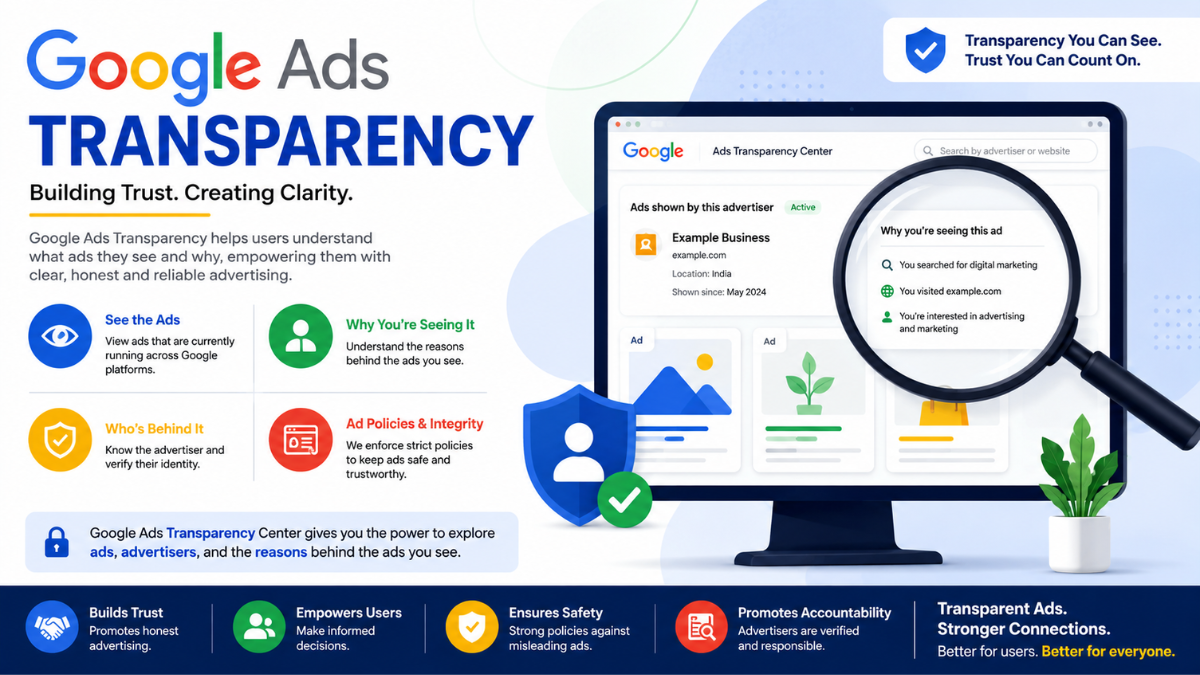
In 2023, Google launched the Google Ads Transparency Center — a publicly accessible database where anyone can search for and review ads running across Google’s platforms. By 2026, it has become one of the most powerful tools available for marketers, consumers, and researchers alike.
What the Transparency Center shows you
🏢
Advertiser Identity
The verified name and country of the business or individual running the ad.
📋
Ad Creatives
The actual text, images, or video content of the ad as it appears to users.
📅
First Seen Date
When the ad first ran, helping you track campaign timelines and competitor launches.
🔍
Platform Type
Whether the ad ran on Search, YouTube, Display, or other Google surfaces.
🌍
Regions Targeted
The countries or regions where the ad was shown to users.

Verification Status
Confirmed whether the advertiser has passed Google’s identity verification process.
Why this matters for business owners
If you’re running ads, this center means your competitors can see your creative strategy. That’s not a bad thing — it encourages quality and authenticity. More importantly, it means you can do the same: research what your competitors are running, identify gaps, and make smarter advertising decisions.
How Users Can Check Advertiser Details
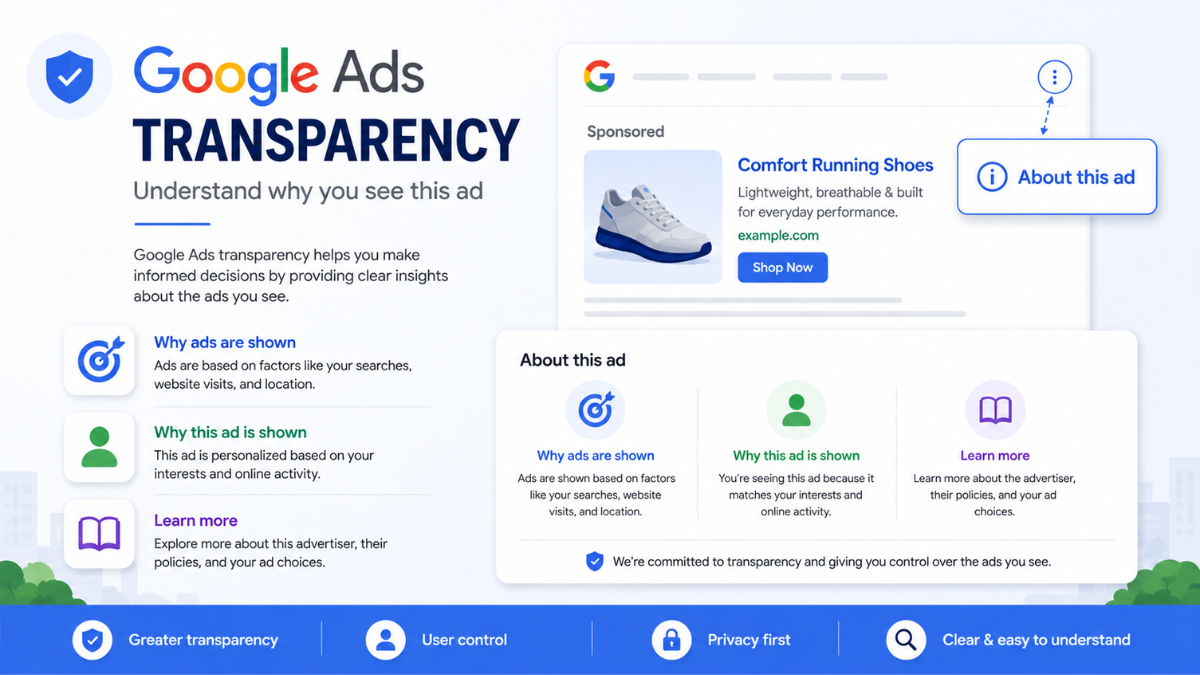
One of the most consumer-friendly features of Google Ads transparency is the “About this ad” disclosure that appears on virtually every Google ad. Here’s how it works in practice:
- When you see an ad on Google Search, there’s a small “·” or info icon next to the ad label.
- Clicking it reveals the advertiser’s verified name, why you were shown this particular ad, and a link to see other ads from the same advertiser.
- On YouTube, the three-dot menu on any ad gives you the same information.
- On the Google Display Network (websites and apps), the “X” or “i” button on banner ads opens the same disclosure panel.
This feature gives everyday users real power. Before clicking an ad — especially for a financial service, health product, or unfamiliar brand — you can verify who is behind it in seconds.
Benefits of Google Ads Transparency for Businesses and Users
Transparency isn’t just a policy checkbox — it creates real, tangible value for everyone in the advertising ecosystem:
For businesses and advertisers
- Builds brand trust: When users can see your verified identity, they feel more confident clicking on your ads and making purchases.
- Competitive intelligence: Studying what ads your competitors are running helps you refine your own strategy and messaging.
- Reduced ad fraud risk: Verification requirements make it harder for bad actors to impersonate established brands.
- Better campaign performance: Advertisers who embrace transparency tend to write clearer, more honest ad copy — which consistently outperforms misleading claims in click-through and conversion rates.
For users and consumers
- Protection from scams: Unverified advertisers cannot run certain ad types, reducing exposure to fraudulent offers.
- Informed decision-making: Knowing who is behind an ad helps users evaluate its credibility before engaging.
- Control over ad experience: Users can block ads from specific advertisers or report misleading content directly.
Step-by-Step Guide: How to Access and Use Google Ads Transparency Tools
Here’s a practical walkthrough for beginners who want to explore Google Ads transparency tools right now:
- Visit the Google Ads Transparency Center. Go to adstransparency.google.com in any browser — no account or login required. It’s completely public.
- Search for an advertiser by name. Type any brand name in the search bar — your own business, a competitor, or any major brand. You’ll see all active and recently run ads from that advertiser.
- Filter by format, region, or date. Use the filters on the left panel to narrow results by ad type (Search, YouTube, Display), country, or time period. This is especially useful for competitor research.
- Click any ad to see details. Clicking an individual ad shows its full creative, the verified advertiser name, and when it was first shown. Take note of messaging styles, offers, and landing page angles your competitors use.
- Use “About This Ad” in real time. Next time you see a Google ad anywhere — in Search results, on YouTube, or on a news website — click the info icon or three dots. Verify the advertiser before you click through or make any purchase.
- Complete advertiser verification for your own account. If you’re an advertiser, log into Google Ads, go to Account Settings, and complete the identity verification process. This unlocks full ad eligibility and displays your verified name on all creatives.
Real-Life Examples and Use Cases
Use Case 1 — Small Business Owner
Rahul runs a legal consulting firm in Mumbai. He noticed a competitor appearing above his ads for the keyword “company registration services.” Using the Transparency Center, he studied his competitor’s ad copy, identified that they were emphasizing a “24-hour turnaround” claim, and crafted a stronger, more specific offer — “Guaranteed registration in 3 business days, backed by 12 years of expertise.” His CTR improved by 34% within two weeks.
Use Case 2 — Cautious Consumer
Ananya saw a Google Search ad offering a “free government solar subsidy scheme” for her home. Before clicking, she tapped the info icon — the advertiser name was unverified and based in a different country. She reported the ad and avoided what turned out to be a phishing scam. Google Ads transparency gave her the information she needed in under 10 seconds.
Use Case 3 — Digital Marketing Agency
A Delhi-based performance marketing agency used the Transparency Center to audit ad creatives across 6 competitor agencies before pitching a new e-commerce client. They identified common messaging patterns in the furniture category, found a whitespace in “same-day delivery” claims, and built an entire campaign strategy around that insight — winning the pitch.
Common Misconceptions About Google Ads Transparency
Myth: Only big brands need to verify
Any advertiser running Google Ads — regardless of size — is subject to verification requirements.
Fact: Every advertiser must comply
Even solo freelancers and micro-businesses running ₹500/day campaigns must complete identity verification.
Myth: Transparency means your strategy is exposed
Some advertisers fear that showing their ads publicly gives away their entire marketing plan.
Fact: Creative is shown, not targeting data
The Transparency Center shows ad creatives — not your bids, keywords, budgets, or audience segments.
Myth: Verified ads are always trustworthy
Many users assume a verified advertiser badge means the product or service is endorsed by Google.
Fact: Verification confirms identity, not quality
Google verifies who the advertiser is — it does not endorse or guarantee the products or services they sell.
Myth: Transparency tools are for experts only
Some believe only data analysts or senior marketers can use the Transparency Center effectively.
Fact: It’s designed for everyone
The Transparency Center requires no login, no technical skills — anyone with a browser can use it in minutes.
Frequently Asked Questions (FAQs)
1. Is Google Ads transparency mandatory for all advertisers in 2026?
Yes. Google requires all advertisers to complete identity verification before running ads across its platforms. Unverified accounts face limited ad eligibility and may be restricted from running certain campaign types, especially in sensitive categories like finance, healthcare, and politics.
2. Can my competitors see exactly which keywords I'm bidding on?
No. The Google Ads Transparency Center only shows ad creatives — the text, images, or videos in your ads. Your keyword targeting, bidding strategy, audience segments, and budget information remain completely private and are never visible through transparency tools.
3. How do I report a suspicious or misleading Google Ad?
Click the “About this ad” or info icon on any Google ad, then select “Report this ad.” You can flag it for being misleading, offensive, or irrelevant. Google reviews all reports and takes action on ads that violate its advertising policies — typically within 24–72 hours for high-priority violations.
4. Does using the Transparency Center require a Google Ads account?
No. The Google Ads Transparency Center at adstransparency.google.com is fully public. Anyone can search for advertisers, view ad creatives, and filter by region or format without logging in or having any account. It was designed to be accessible to consumers, researchers, and advertisers alike.
5. How does Google Ads transparency help small businesses compete?
It levels the playing field. Small businesses can study the ad strategies of larger competitors for free — analyzing messaging, offers, and creative formats — and use those insights to build smarter campaigns. Transparency also means that a well-verified, honest small business can compete on equal footing with any large brand in terms of ad credibility.